Ensure your digital content meets accessibility standards with a WCAG audit from TestPros. We identify and fix issues to enhance usability and reduce legal risks.
Contact Us
Does your organization provide services online? Are you aware of the Web Content Accessibility Guidelines (WCAG) and whether or not your services are compliant? It’s important to stay up to date on accessibility standards in order to avoid any potential legal repercussions, plus it can open more doors for your customers!
So how do you achieve this? Getting a WCAG audit on your website or software is a good start. However, there are some things to keep in mind to avoid gaps in conformance. Keep reading as we take a look at the potential advantages and pitfalls when pursuing WCAG compliance.
An independent audit is often the fastest way to prove your product meets the standard a customer, regulator, or partner is asking for, and to see exactly where you stand before it counts.
Selling to a government agency, a school, or any organization that receives federal funds usually means proving your product is accessible before you win the work. An independent audit and a Voluntary Product Accessibility Template (VPAT) show buyers exactly where your product stands and put you ahead of vendors who cannot document it.
The legal landscape for digital accessibility keeps shifting, and website accessibility lawsuits have climbed year after year (opens in a new tab). An independent audit shows where your real exposure is and gives you a documented plan to reduce it well before a demand letter arrives.
Already have a team responsible for accessibility? A second set of trained, certified eyes catches what a team living inside the product can miss. TestPros retests remediated findings and updates the report, so you can confirm a fix actually held.
The most cost-effective time to test is early. Building accessibility in during the first phases of a new product avoids expensive rework later, so you launch on solid footing instead of retrofitting under deadline pressure.
WCAG compliance means that a website has been designed, developed and organized in such a way to meet the accessibility guidelines set forth by the Web Content Accessibility Guidelines (WCAG). These guidelines were created by the World Wide Web Consortium (W3C) to provide an international standard for ensuring web pages are accessible to people with disabilities.
The guidelines provide a set of conformance levels (A, AA and AAA), that specify the level of success a website has achieved for each accessibility aspect.
Level A is the minimum level of compliance, while AA and AAA represent increasingly higher levels of accessibility. Level AA is typically the requirement by laws and regulation.
WCAG 2.0 A/AA is required by government agencies and contractors. However, since WCAG 2.1 was released in June 2018, WCAG 2.1 AA has become the standard for websites and digital content.
WCAG 2.2, the most recent guidance, was released in October 2023 and is expected to become the next required standard in the coming years.


Established in 1988, TestPros provides information technology (IT) compliance services to a wide range of commercial and U.S. federal, state, and local government customers. TestPros has been independently audited or appraised and is proud to hold the following company credentials:
To guarantee that everyone can enjoy a seamless online experience, WCAG guidelines are specifically designed to make websites accessible for ALL people. This includes making sure they’re navigable and usable by those who cannot use or see the mouse.
WCAG compliance is required for most websites, software applications and digital products in order to ensure that they are accessible for people with disabilities. A wide range of areas are covered in the guidelines, including:
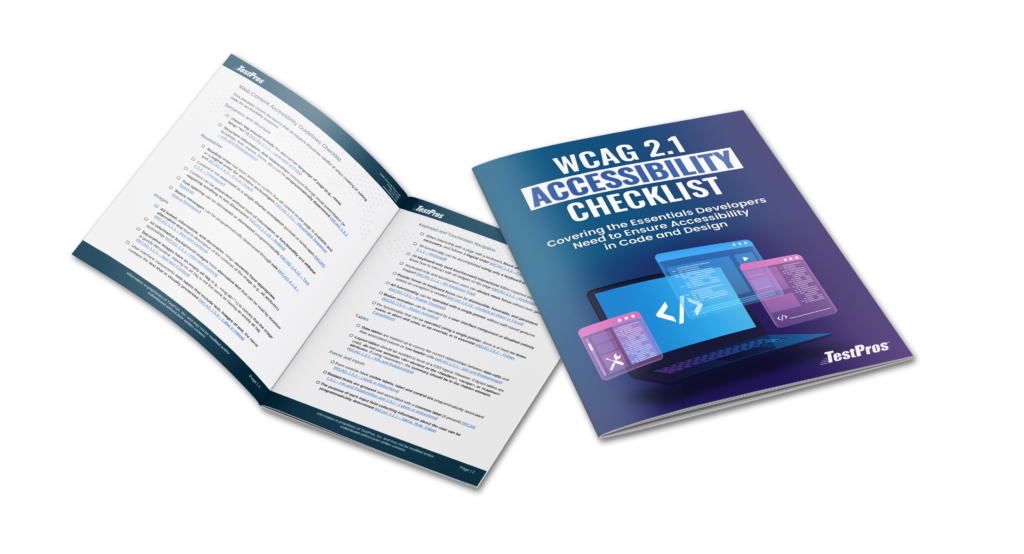
This checklist is designed to assist developers, designers, and managers with understanding and complying with the WCAG 2.1 guidelines.
Your business can ensure adherence to WCAG regulations by undergoing an accessibility audit. Through this process, all sections of your site or application are assessed to guarantee they meet the compliance standards of WCAG.
A web accessibility audit is an assessment of how well your website and digital assets conform to the needs of people with disabilities and if you meet the Web Content Accessibility Guidelines (WCAG). The audit identifies areas that need improvement and provides recommendations to be more accessible.
Audits can be conducted by in-house staff or by third-party organizations, such as TestPros. These evaluations may be performed with a manual assessment, with automated tools, or both. For complete results it’s recommended to partner with an expert who can use a combination of manual and automated assessment methods.
Let’s go into more detail on these two options for your organization.
Web accessibility evaluation tools (opens in a new tab) can be used to check for compliance with the Web Content Accessibility Guidelines. These tools can be helpful by scanning your website to find some (but not all) of the issues with a website or application. This can give you an idea of where you stand – but keep in mind this method alone leaves you vulnerable to missing requirements and gaps in conformance.
An accessibility consultant is someone who specializes in helping organizations create accessible websites and software applications. Consultants, such as TestPros, can provide a variety of services, including manually testing for WCAG requirements. We help you identify all potential issues with your website or application and provide guidance on how to fix them.
In general, compliance testing with assistive technologies and accessibility test tool software alone does not provide a complete evaluation. Automated tests can find some accessibility issues, but they are not able to find all of them. That’s why it’s important to work with an accessibility consultant who can combine a variety of testing methods.
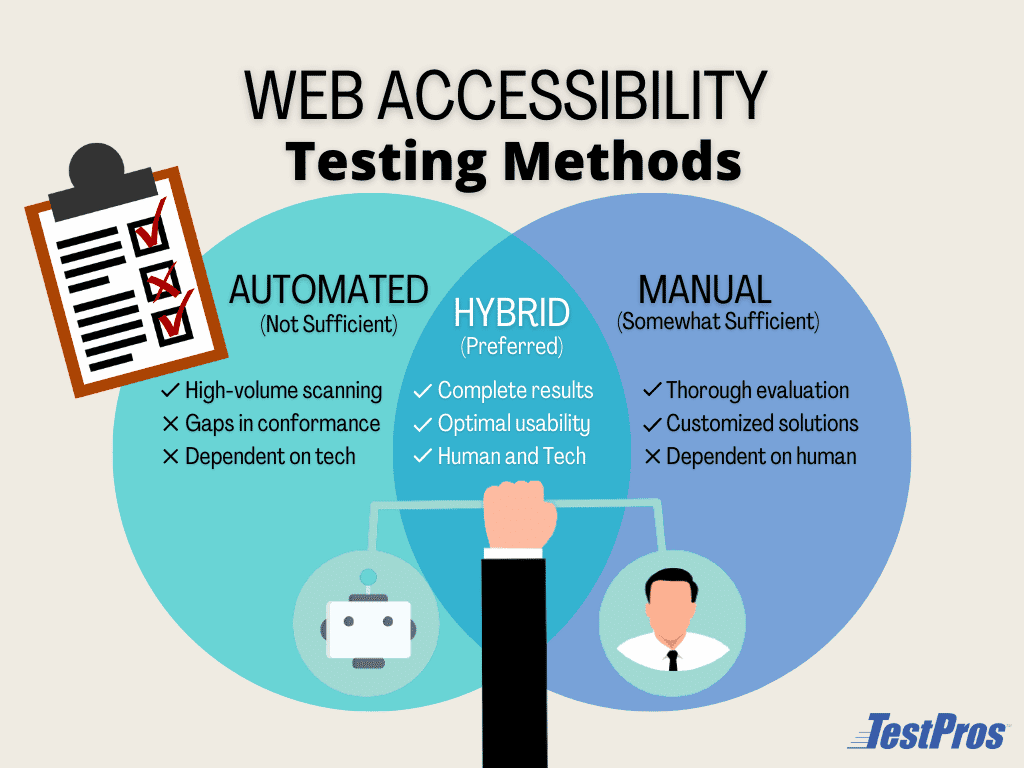
Automated accessibility compliance testing can be a great way to begin an accessibility assessment. Automated tools can be helpful for identifying common accessibility issues (e.g., missing alt tags, color contrast issues, etc.) and we use them as part of every assessment.
Manual accessibility testing is vital for any website as automated tools can only test for 25-40% of the necessary success criteria. The most important issues to test for, such as logical ordering of content and proper semantics for screen readers, are often missed by automation.
See our article: Automated vs. Manual Testing
In addition to the lack of test coverage when using only automated tools, they are also more prone to false positives and negatives. For example, an automated tool may detect that an alt tag on an image is present and as a result, not report it as a failure.
If we were to inspect the image more closely, we may find that the alt tag was not actually descriptive of the content in the image. As a result, a developer or platform manager may not be aware that their application is not compliant with WCAG 1.1.1 – Non-text Content (opens in a new tab).
Working with a trusted accessibility expert is your best option. It’s important to combine automation tools with manual testing methods to conduct a full assessment. This way all success criteria are assessed.
TestPros tests to the standards, not to the tools. We use a best-practice approach that is defined by the Department of Homeland Security and their Trusted Tester Program.
We address all the WCAG standards and other applicable guidelines, including the following.
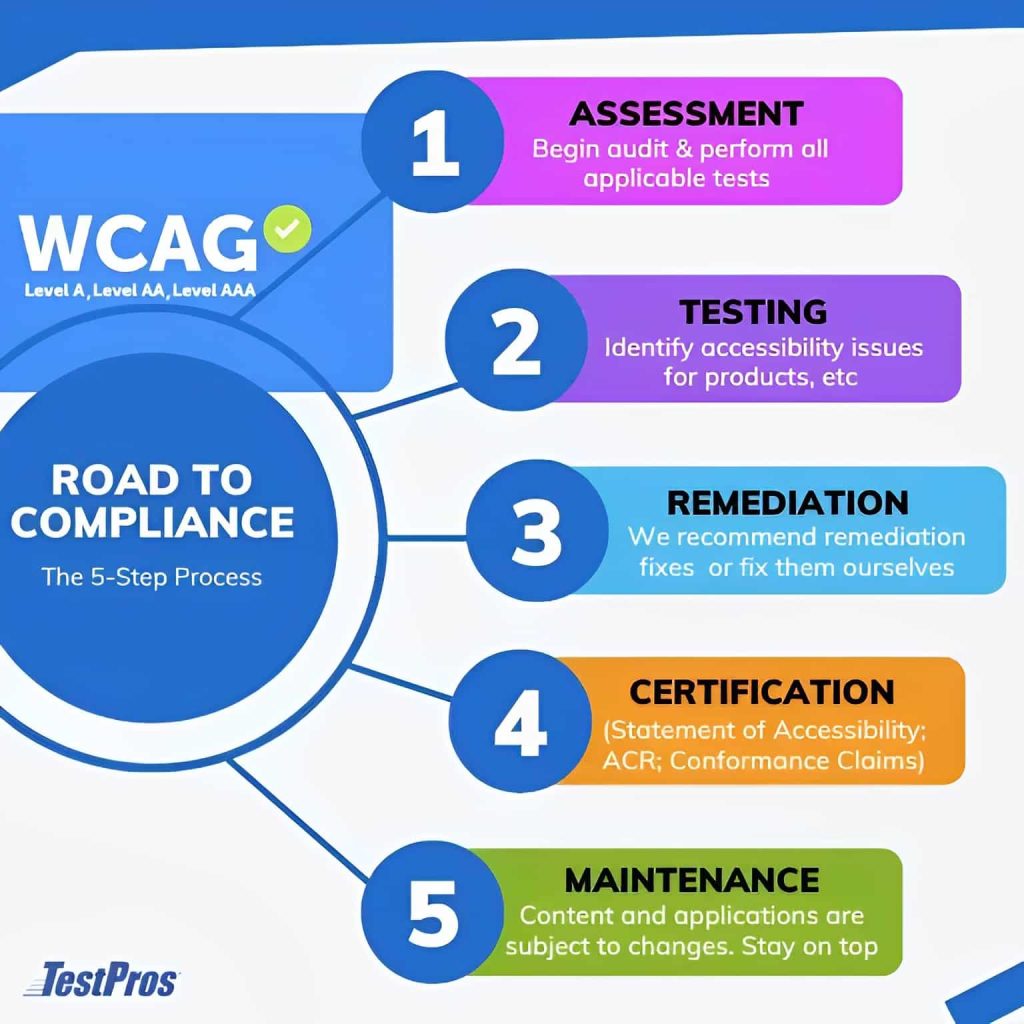






Every TestPros WCAG audit service follows the same structured path, so you know exactly what to expect from the first conversation through post-remediation verification.
We start by understanding the scope of your website, mobile app, or documents, who your users are, and what you need to prove. That lets us tailor the audit to your objectives instead of running a generic checklist.
We run an automated scan to surface the obvious issues quickly and map where the biggest problem areas sit. This focuses the manual work that follows so no time is wasted.
Certified testers evaluate your pages and applications by hand using real assistive technology, including the NVDA, JAWS, and VoiceOver screen readers and keyboard-only navigation. This is where the issues automation cannot catch are found.
You receive a complete report of every issue mapped to its WCAG success criterion, with screenshots, code snippets, and plain-language descriptions alongside recommended fixes, so your team can act without guesswork.
We work alongside your developers as they fix the findings, answering questions and guiding the approach so your digital properties reach conformance with the standard that applies to you.
We retest the remediated items with both automated and manual methods to confirm the fixes actually held, then update the report so your conformance is documented and defensible.
So, you want to ensure your website is WCAG compliant? We strongly recommend undergoing a full web accessibility audit with an experienced evaluation team like TestPros.
We’ve been helping organizations achieve WCAG compliance for over 30 years and have the experience and knowledge to help you too.
Our multi-step approach to digital accessibility includes:
Websites, software applications, mobile apps, and documents should undergo accessibility assessments before launching or any significant redesign. However, it is important to remember that content and applications are subject to constant changes.
TestPros can help you by implementing tools and processes to check the accessibility of your content on an ongoing basis. This will allow you to find issues such as broken links or other quality problems.
Contact us below for more information – we would be happy to answer any of your questions!

WCAG audit cost varies with the complexity and depth of the site or application being tested. It can range from a few hundred dollars for small sites to several thousand for larger sites with many pages, components, and document types. As a rule, the more complex the property, the higher the cost. TestPros scopes each audit to your actual assets and provides a fixed quote before work begins.
Timelines depend on the size and complexity of your digital assets. A small website with a few page types can be completed in a few days, while a large e-commerce site with hundreds of pages may take several weeks. Websites, mobile apps, and documents each require their own testing. TestPros gives you an expected timeline during scoping, before the audit starts.
A WCAG audit starts with automated scanning and is completed by manual testing. Tools such as Axe, WAVE, Lighthouse, and Accessibility Insights quickly flag common issues like missing alt text and color-contrast failures, and TestPros runs one as the baseline first step. Automated tools only reliably detect about 30 to 40 percent of WCAG issues, so the core of every audit is manual testing with real assistive technology, including the NVDA, JAWS, and VoiceOver screen readers and keyboard-only navigation, performed by certified testers.
WCAG is not itself a law in the United States, but several laws effectively require it. The Americans with Disabilities Act (ADA) applies to places of public accommodation, and courts and the Department of Justice routinely treat WCAG as the measure of whether a website meets it. Section 508 of the Rehabilitation Act requires federal agencies and their contractors to meet standards harmonized to WCAG. Some states add their own requirements, such as California’s Unruh Civil Rights Act, and a long line of lawsuits has cited WCAG non-conformance in settlements and rulings. If your organization falls under any of these, conforming to WCAG is how you meet the obligation.
No. The ADA is a U.S. law, while WCAG is the technical standard used to judge whether a website meets it. The ADA does not name WCAG in its text, but courts and the DOJ reference WCAG as the accepted measure of an accessible site. Bringing your site into WCAG conformance is the practical way to reduce ADA exposure, and it opens your product to more customers at the same time.
Yes. An audit is usually the starting point, and every TestPros engagement includes clear remediation guidance your team can act on. Beyond that, TestPros provides document and PDF remediation as a primary service, code remediation for websites and apps on request, VPAT preparation, accessibility training, and ongoing monitoring so your content stays conformant as it changes. For a full list, see our accessibility services. Because TestPros sells no accessibility software or scanners, the recommendations are about fixing your product, not steering you toward a tool.